This package has been deprecated. Use at your own risk. See #409
Quickly add Perfume.js (V5) to track the performance metrics.







npm install --save gatsby-plugin-perfume.js
- it embeds Perfume.js (V5) with all its available options
- it allows you to choose whether to embed Perfume.js (suggested) or loading it externally (from Unpkg)
- (optional) it integrates Perfume.hs with Google Tag Manager too
// In your gatsby-config.js
plugins: [
  {
    resolve: "gatsby-plugin-perfume.js",
  }
];
With custom options
// In your gatsby-config.js
plugins: [
  {
    resolve: "gatsby-plugin-perfume.js",
    options: {
      // the options are passed as-are to Perfume.js (except for `analyticsTracker`)
      resourceTiming: false
      maxMeasureTime: 15000,
      // see https://github.com/Zizzamia/perfume.js#perfume-custom-options for all the available options
    }
  }
];Perfume.js can also be downloaded from
Unpkg setting the inline option to false
// In your gatsby-config.js
{
  resolve: 'gatsby-plugin-perfume.js',
  options: {
    // optional, default to true
    inline: false,
  }
}{
resolve: 'gatsby-plugin-perfume.js',
options: {
// optional, if present, a Google Tag Manager event is triggered for every specified performance metric (the event is `performance`)
googleTagManagerOptions: true
}
}You can even customize the GTM event name/dataLayer
{
  resolve: 'gatsby-plugin-perfume.js',
  options: {
    // optional, if present, a Google Tag Manager event is triggered for every specified performance metric
    googleTagManagerOptions: {
      // optional, default to `performance`, `metricName` and `duration` are passed as event data
      eventName: undefined,
      // optional, default to "dataLayer"
      dataLayerName: undefined
    }
  }
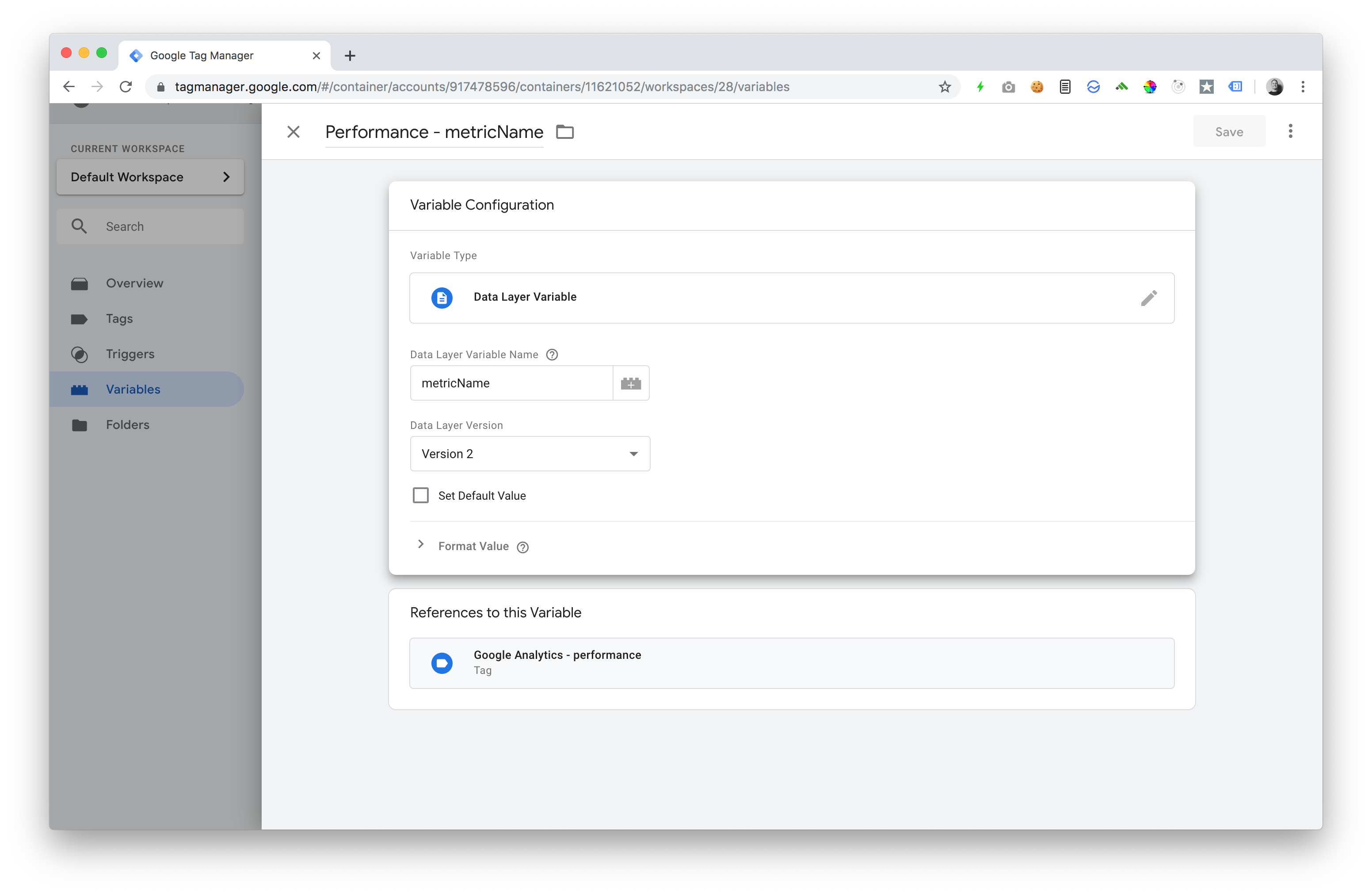
}- Add the
metricNamevariable
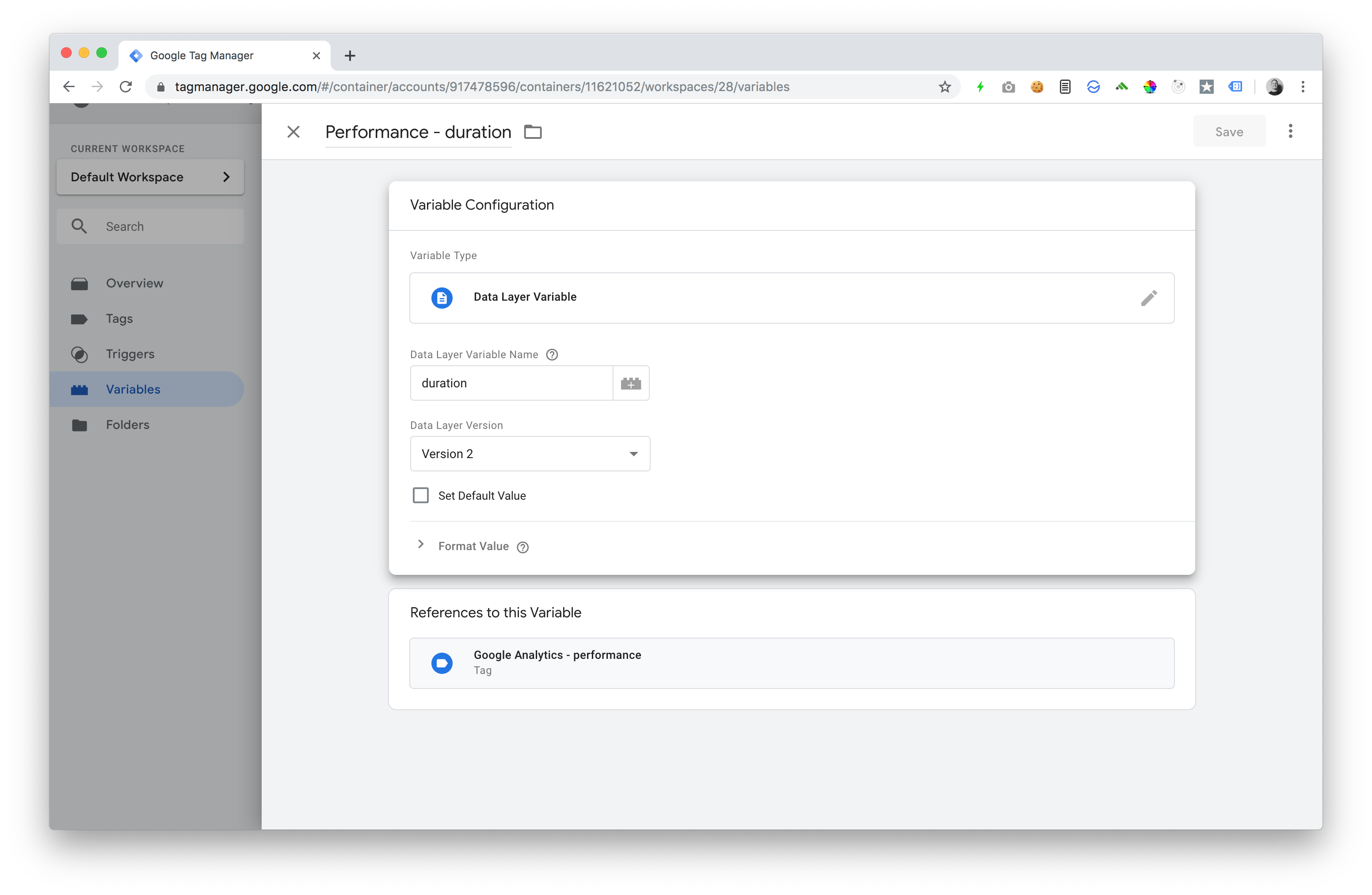
- Add the
durationvariable
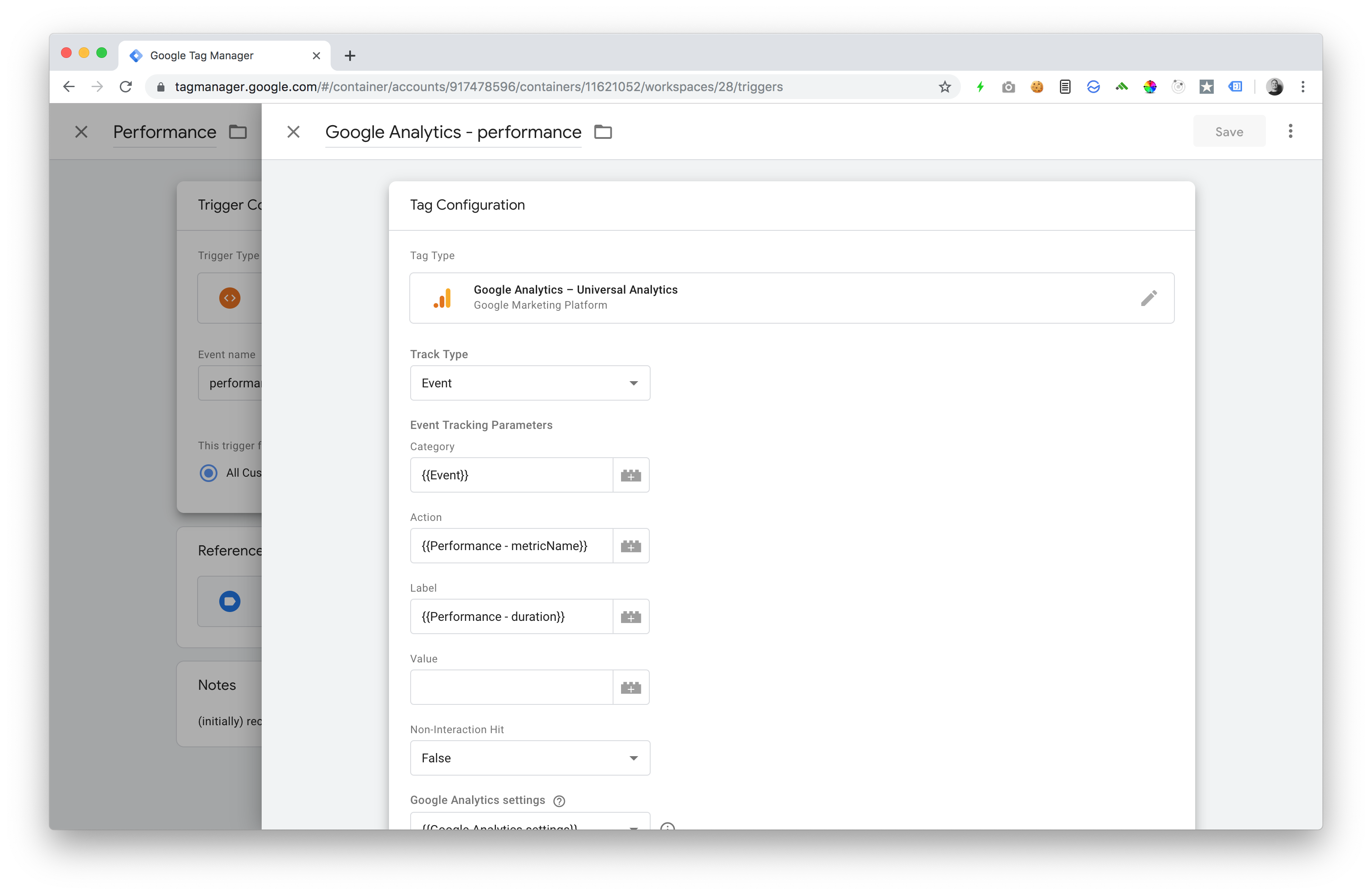
- Add the GA event in GTM
PR or issues are welcome 👋
- if you want to work on the plugin sources, remember that you need to run
npm run buildon the root then, in every test project, you need to runnpm run plugin:linkto locally use it
Thanks goes to these wonderful people (emoji key):
 Stefano Magni 💻 📖 |
This project follows the all-contributors specification. Contributions of any kind welcome!